
Description
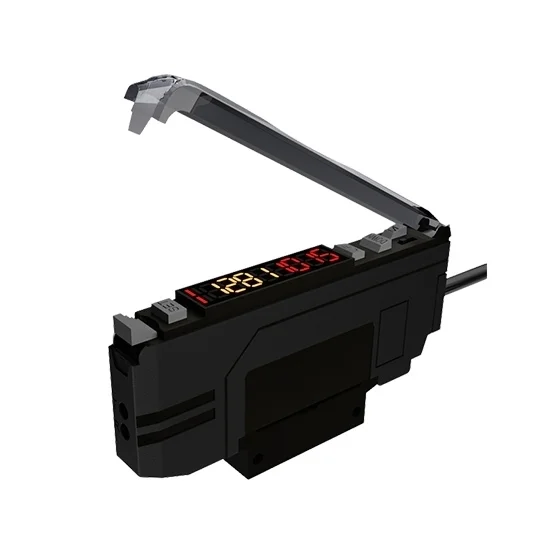
This advanced color sensor utilizes an integrated RGB photodiode and three specialized detection modes to deliver accurate and reliable color identification. RGB color sensor is designed for stability and ease of use in diverse industrial environments, combining rapid response with robust performance.
Specification
| Model | ATO-FWGS-21N/21P |
| Output Type | NPN (21N) / PNP (21P) |
| Output Configuration | 1 output, wire lead type |
| Light Source | RGB primary color LED |
| Detection Method | Color Mode, Color + Light Intensity Contrast Mode, MARK Mode |
| Response Time | MARK Mode: 50µs; Color or Color+Intensity Mode: 130µs |
| Output Selection | LIGHT-ON / DARK-ON (switch selectable) |
| Power Supply | 12-24 VDC ±10%, ripple P-P 10% max |
| Operating Temperature | -10 to 55 °C (non-condensing) |
| Storage Temperature | -20 to 70 °C |
| Operating Humidity | 35 to 85% RH |
| Power Consumption | Standard mode: Max. 300mW at 24V |
| Vibration Resistance | Double amplitude: 1.5mm, 10-55Hz (2 hours each in X, Y, Z directions) |
Feature
- The RGB color sensor provides Three Detection Modes for versatile application: Color Mode for detecting presence and vibration, Color + Light Intensity Contrast Mode for distinguishing subtle color differences, and MARK Mode for simple setup and detecting larger color contrasts.
- Color recognition sensor incorporates an RGB Three-color Light Source for comprehensive color analysis.
- One-Touch Teaching function allows for quick and simple setup by pressing the SET key on the target color.
- The colour detection sensor offers a Configurable Delay Function with multiple modes (Output Delay, Input Delay, etc.) and a adjustable range.
- It demonstrates Strong Anti-interference capabilities for reliable operation in challenging conditions.
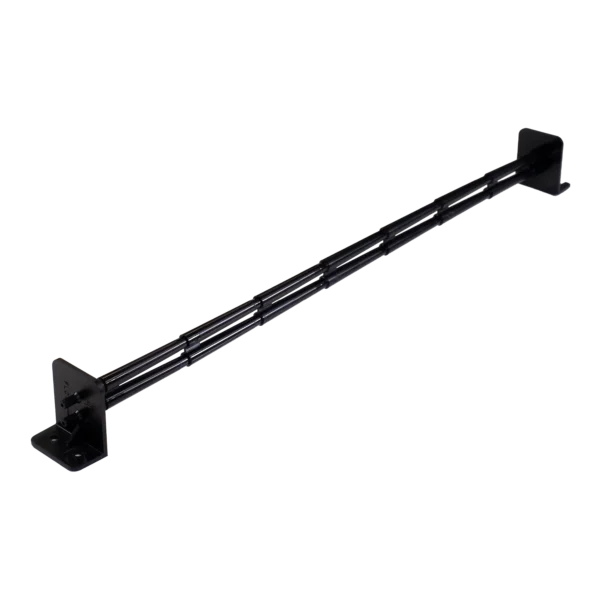
- For optimal performance, color sensor device is recommended for Use with a Fiber Optic Amplifier, Probe, and Focusing Lens.
Dimension (Unit: mm)
Detail
Wiring Diagram
Application
4 Tips of Your Color Light Sensor
- Mode Selection: Choose the detection mode based on your target and environment. Use Color Mode for general detection but avoid it for very small color differences. Use Color + Intensity Mode for subtle differences but not in vibrating environments. Use MARK Mode for larger color contrasts.
- Saturation Setting (A-H/A-L): The default is A-H. If the color light sensor detecting reflective materials causes signal saturation and incorrect readings, switch the menu to A-L mode.
- Teaching Function: After setting saturation, you can select the teaching method: One-Point Teach (set the target color with one press of SET) or Two-Point Calibration (set target color, then set background).
- Initialization & Lock: Initialize the colour detection sensor by holding SET and M keys for over 3 seconds until “RES” appears. Lock the settings by holding M and DOWN keys for over 3 seconds until “LOC” appears; repeat to unlock.
Reviews
There are no reviews yet.